
Why move backups out of Zendesk?
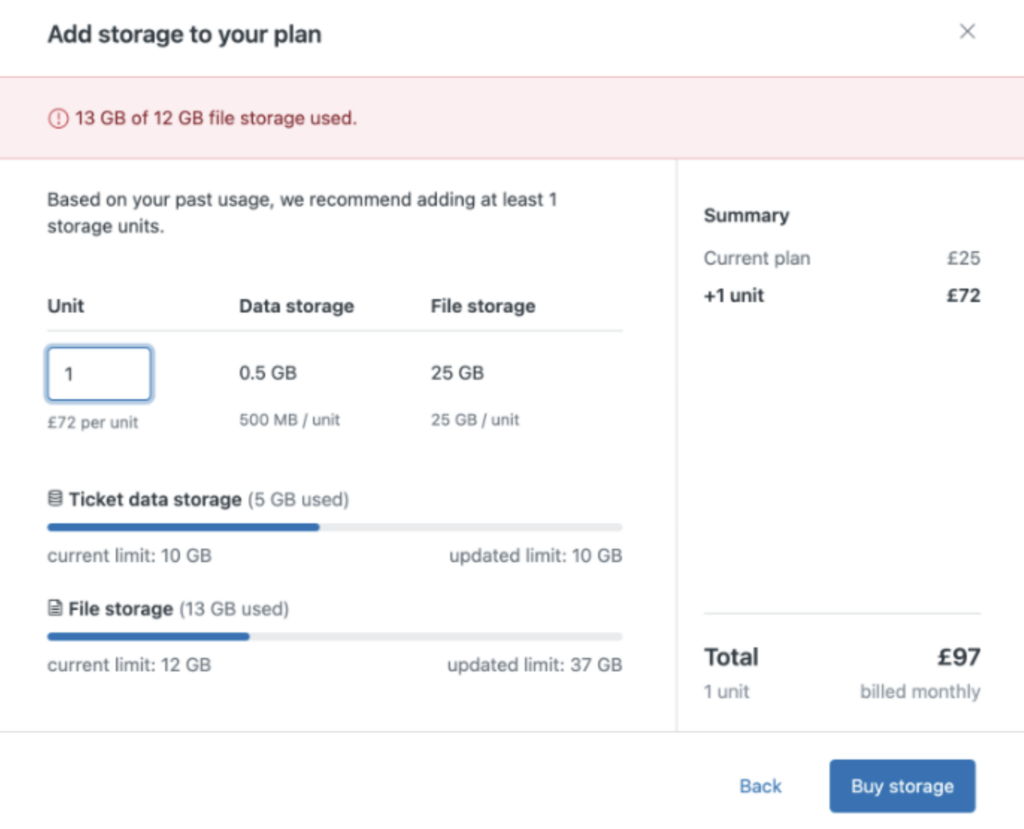
Zendesk® storage can quickly become expensive as your tickets, attachments, and historical data grow. By exporting and backing up data to your own AWS infrastructure, you turn a fixed, platform-dependent cost into a flexible, usage-based model.
Save on Zendesk Storage Fees
Back up your data directly to your own AWS storage to reduce costs.
Instead of relying on Zendesk’s storage plans, you stay in full control—manage, scale, and optimize your backups independently. Store only what matters, retain it as long as you need, and pay only for actual AWS usage.
How it works
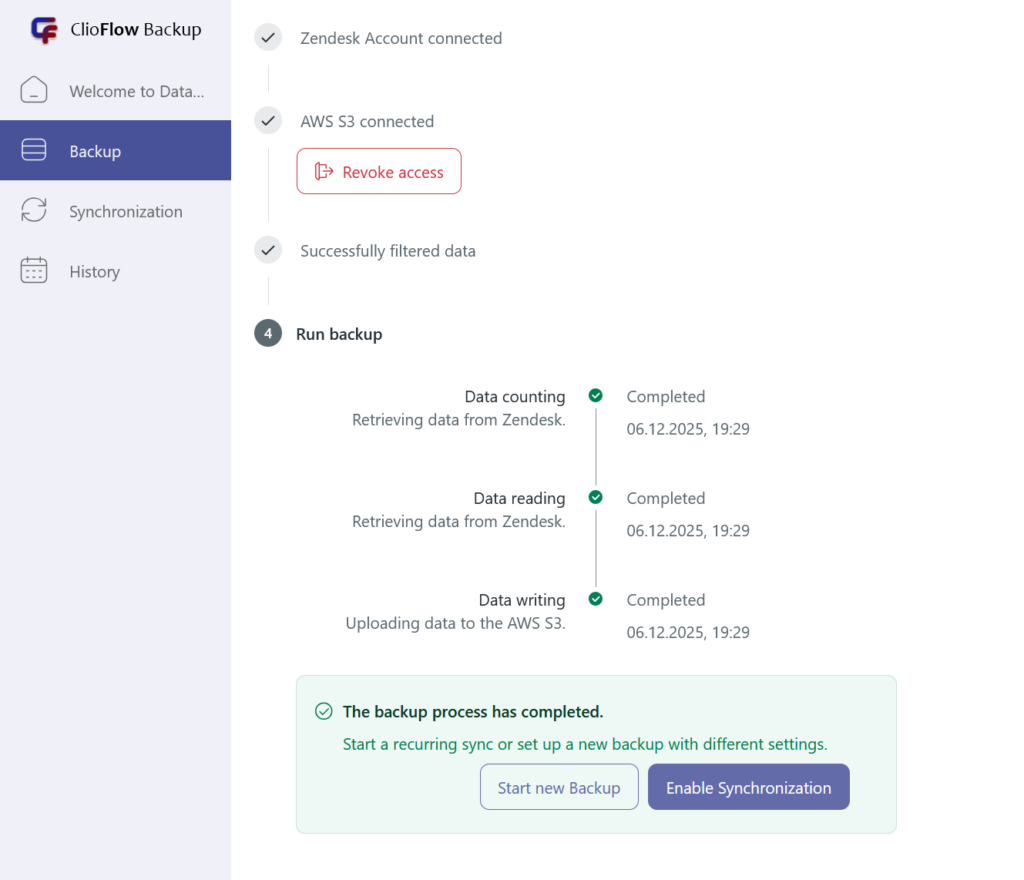
Extract data from Zendesk
Tickets, attachments, users, comments, and metadata are securely retrieved via the Zendesk API.
Store in your AWS account
Data is written directly to services like Amazon S3, RDS, or other AWS storage tiers you choose.
Control retention & lifecycle
Define lifecycle rules to archive or delete old data automatically—no unnecessary storage costs.
Key benefits
💰 Lower long-term costs
AWS storage (especially S3 + Glacier) is significantly cheaper at scale than platform-managed storage. You avoid paying Zendesk premiums for historical data you rarely access.
🔐 Full data ownership
Your data stays in your AWS account, under your IAM policies, encryption keys, and compliance rules.
📈 Infinite scalability
Scale from gigabytes to terabytes without changing plans or renegotiating limits.
🧩 Flexible backup strategy
Back up everything or only what you need—attachments only, closed tickets, historical data, or full exports.
📜 Compliance & auditing
Meet GDPR, internal security policies, and audit requirements with predictable retention and access control.
Leave a Reply